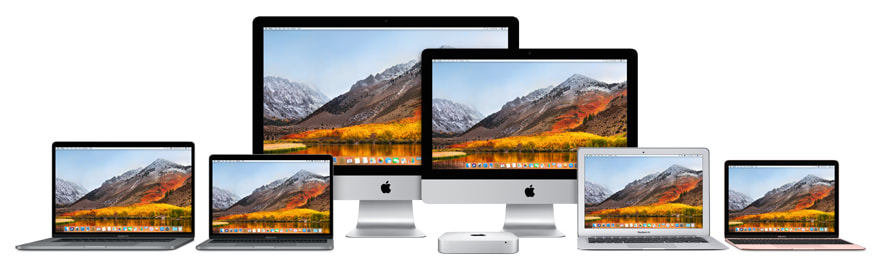
Mac, iPhone, iPad, Apple TV, Watch & more — Expert help on-site in Greater Portland, and remote support anywhere in the world!
For help, call or text 917.502.8870 or email me
Helping my clients conquer technophobia
and relieve cyber-anxiety since 1998
Specializing in the digital photography workflow
with an emphasis on Adobe Lightroom & Photoshop,
as well as Apple Photos
Running out of space on your hard drive? Confused about iCloud syncing of data between your Mac and iDevices? Wondering whether to buy an M1 Mac? Getting error messages when trying to send email, visit a website, or print a document? Mystified by any other questions or problems?
DON’T DESPAIR — I can help you organize your digital life! My name is Ronald Gehrmann — I have 25 years of experience in tech support, and 35 years as a Mac user. A tutorial or troubleshooting session with me can save you countless hours of frustration, wasted time and dead ends. Don’t let your computer or devices run you ragged — instead let me help you work smarter and make the most of your technology. I’ll teach you how to accomplish your tasks more efficiently, learn to do things you never thought possible, and in general be more productive and creative using your Mac and iDevices. A passionate photographer for decades, one of my specialties is digital photography workflow: shooting, organizing, editing, sharing, printing, making photo books. I can help you make the best use of your digital camera and Adobe Lightroom, Adobe Photoshop, or Apple iPhoto and Photos. (Feel free to peruse my photography.) |
“Ronald has deep knowledge of computers and their human users — no other resource comes close.”
Nancy Hansen Providence, RI “Thanks for your info, perspective, insight, and help. Your work will allow me to make a big difference for my students.”
Dann Pierce, Ph.D. University of Portland, OR “Ronald Gehrmann has been the best Apple computer consultant / instructor / fixer that I have ever encountered in my two-decade experience with Apple computers.”
Warren Adler Author & Playwright New York, NY |
What can I do for you?
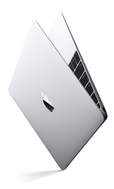
If you’re planning on purchasing a new MacBook, MacBook Pro, iMac, Mac Pro, iPhone, iPad or iPod, Apple Watch (or any other tech product), pre-purchase consulting with me can be helpful to choose the hardware and software that best meets your needs and your budget.
I can help you set up your new Mac, iDevice, Apple Watch, Apple TV, and peripherals (printer, scanner, hard drive, speakers, etc.), create a wireless network for your home or office, and get you online. I cover basic introduction, customizing and optimizing your system, organizing your files, installing and learning applications, and troubleshooting. I’ll teach you loads of tips, techniques and shortcuts to make using your Mac or other Apple product more productive and enjoyable. |
“Ronald is incredibly efficient, very personable, and a great teacher.”
Steve Knutson Audika Records Portland, OR “Ronald Gehrmann is a wizard and a delight. He works rapidly and has a depth and breadth of knowledge about Apple computers and devices that is phenomenal.”
Robert Worth New York, NY |
I make house calls!
|
I work with you as a tutor/trainer at your home or office, in Greater Portland, Oregon (PDX). After one or more sessions at your location, I also offer ongoing support via phone and remote screen sharing, which allows me to work with you just as if we were sitting side by side. We can do anything from extended training sessions to brief calls that focus on a task or problem at hand. For your independent study, I can recommend reading materials and tutorials — online, in print, and in video.
|
|
Who am I?
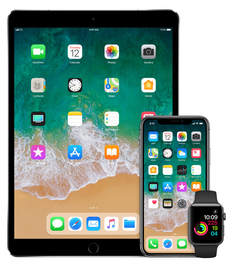
A passionate Mac user since 1988 and iPhone user since 2007, I keep abreast of the latest in developments in Apple hardware, software and services. I can provide the information that’s relevant to your specific situation, and convey it in a way that you can absorb easily, regardless of your skill level.
I'm a one-man operation. When you contact me, you know that the person working with you will always be me, not someone from a carousel of “customer experience professionals.” Whether we work together once or on an ongoing basis, you'll always receive patient, professional assistance that's personalized to your needs and your learning style. |
“Ronald is the nicest guy...he was extremely understanding and empathetic to my technophobia. He solved every problem I had.”
Bob Lapides New York, NY “Ronald has helped me with, among other things: iPad, iPhone, Mac, backups, iPhoto, Dropbox, setting up a new business. His guidance makes me smarter than I am!”
Julia Perry Hengst New York, NY |
Who are you?
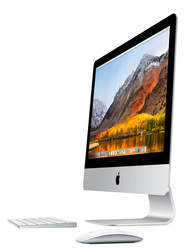
You may have recently purchased your first Mac or have been using one for years. You use a Mac or iDevice at home or at work or both. You’re a beginner or intermediate or advanced Mac user, and you’d like to learn more about the operating system or specific software programs such as Adobe Photoshop or Microsoft Word. Or you may have recurring problems that require troubleshooting. Perhaps you live or work in Greater Portland, Oregon (PDX) and I can work with you in person. If you’re not in the Portland area, I can work with you remotely via screen sharing.
I’m here to help — call 917.502.8870
or email me and we’ll get to work!